

Plants
Keep Every Plant Thriving
Your plants deserve the same level of care and organization as everything else in your home.
The Plants module helps you track, nurture, and remember every little green companion.
Simplify plant care
Add each plant with its name, photo, type, and location in your home. Define a watering schedule and let HouseDesk handle the reminders for you.
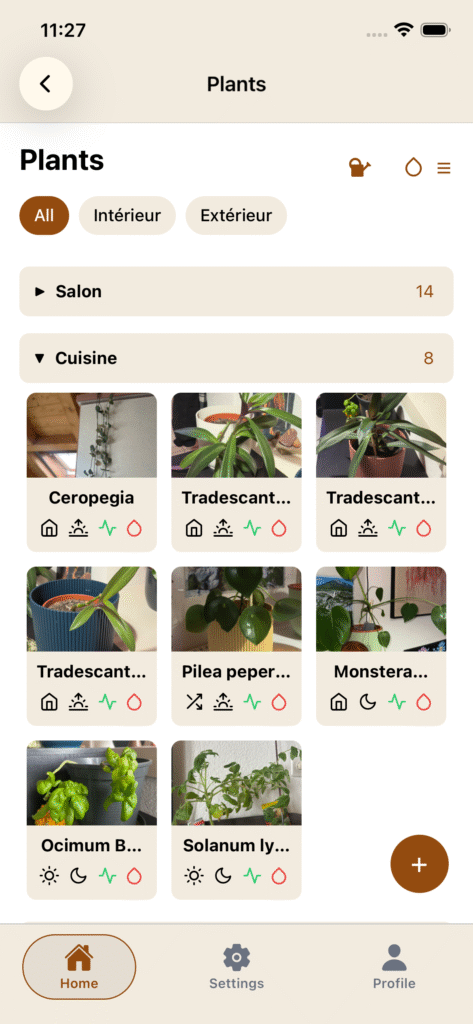
Never forget a watering again
Automatic notifications ensure your plants stay healthy and happy.
Whether you manage a few succulents or a whole indoor jungle, HouseDesk keeps everything under control.
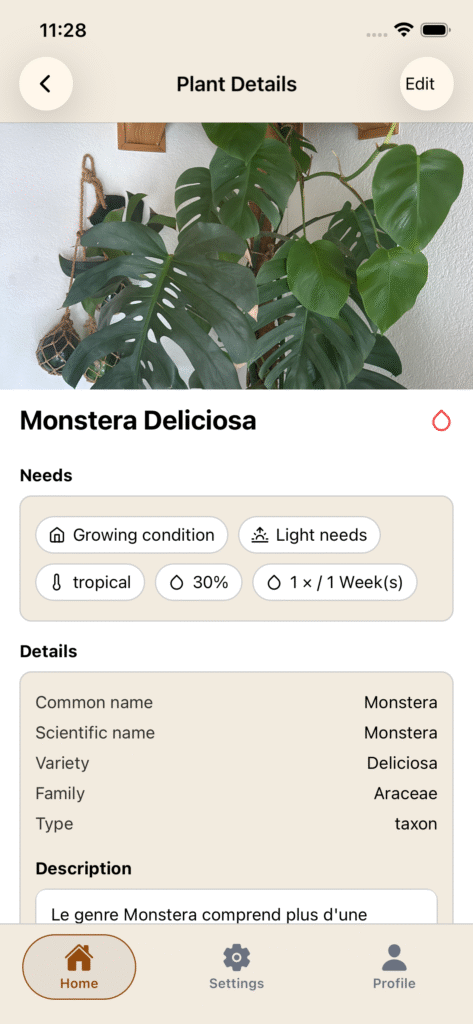
Find data
Find data about a plant with one click searching.
Key highlights
- Add and categorize plants by type or location
- Automatic watering reminders
- Water multiple plants at once
- Visual overview of your plant collection
How to ?
Categories and groups
You can directly add categories and groups from the floatting button on the bottom right of the page.
You can add a plant or a group to a category. As group are directly put into categories (if you choose to), you can add a recipe to a group but no more to a category if a group is choosed.
"Search" tool
The “Search” tool let you search data on the net about the plant you want to add.
✔️ = data found
? = data not found
Each search you make will never erase data you already entered. If it found something on a field you already entered a data, you are safe.
TRICKS : You need to add a plant name to be able to make a search. If you know and add the scientific name directly, you will be sure to get almost all data about the plant.