
General using
Organize, Share, and Stay in Control
Manage your home smarter.
Organize your recipes, inventory, plants, and lists — all in one simple, powerful app.
Cloud & Sharing
HouseDesk connects seamlessly with your personal cloud, allowing you to keep your data private and secure.
iOS users can sync and share through iCloud.
Android users through Google Drive.
All data stays under your control — and sharing features allow families or roommates to collaborate within the same ecosystem (iOS-to-iOS or Android-to-Android only).
🗂️
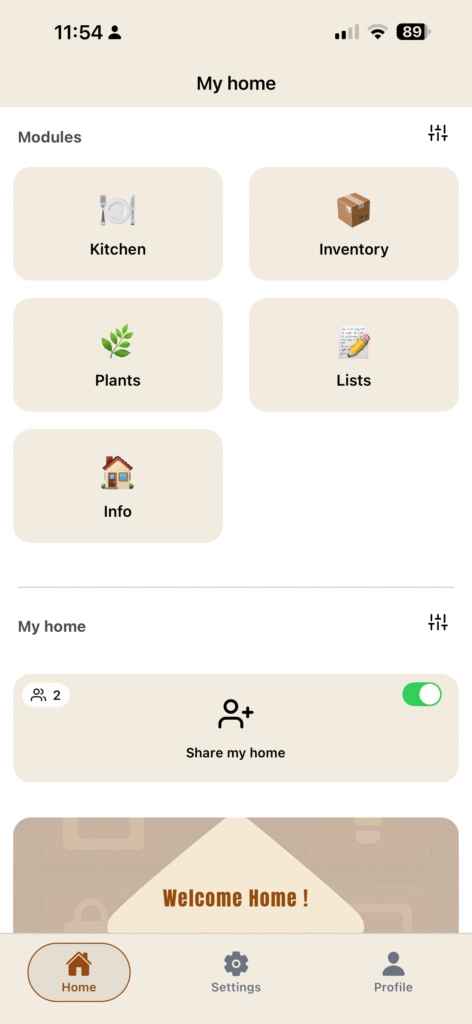
Organize as you want
Organize the App as you want with custom categories and groups.
HouseDesk helps you
- Stay organized and productive at home
- Simplify daily household management
- Keep everything safely in your own cloud
- Share and collaborate with family or roommates
How to ?
Edit/Delete
You can edit or delete almost any items by long pressing it.
Share/Join
You can share your home only if you have a Premium plan.
Share are available between account of same platform. IOS to IOS and Android to Android.
You can join any home at any time.
Cloud Sync
You can sync with your personnal cloud only if you have a Premium plan.
Simply activate the sharing in the “Share home/Cloud Sync” page and your data will automatically be synced.
To retrieve your data on an other device, simply turn ON the sharing also on your second device. Be sure to don’t record any data before turning the sharing ON on your second device.