

Lists
Stay Productive and Organized
From shopping to daily goals, the Lists module is your personal organizer for everything you need to remember.
All your lists, your way
Create shopping lists, to-do lists, checklists, or goal trackers — all in one streamlined interface.
Customize and organize your lists to fit your lifestyle.
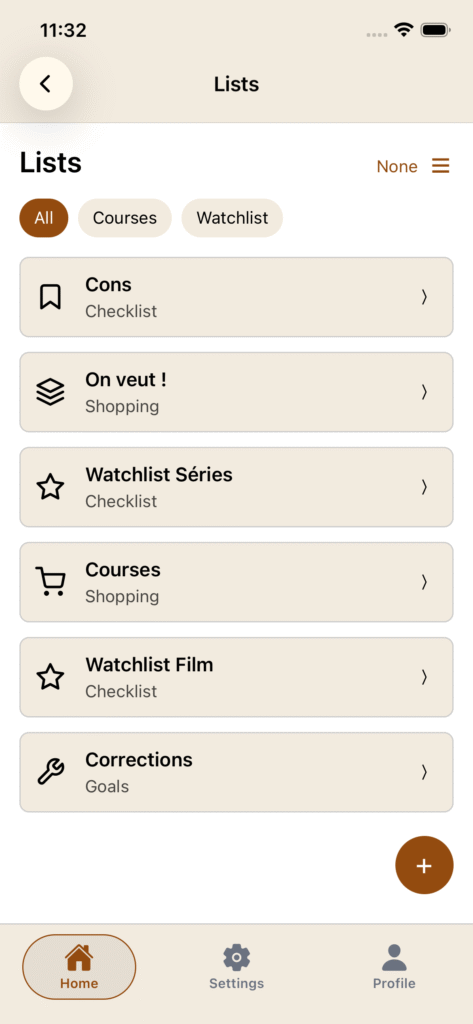
Smart integration
Import items directly from your pantry or inventory, with flexible filters to help you plan shopping or replacements more efficiently.
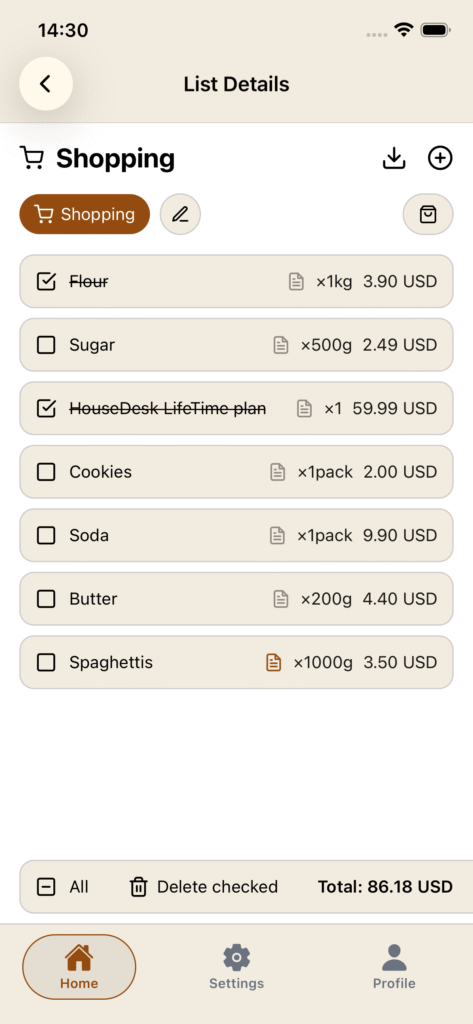

Sync with pantry
Key highlights
- Create shopping, task, and goal lists
- Import items from pantry or inventory
- Share lists easily with others
- Keep your home tasks organized and accessible
How to ?
You can directly add categories from the floatting button on the bottom right of the page.
You can choose between 3 types of lists that display different data and switch at anytime.
✅ Checklist :
Basic checklist with name and note.
🛍 Shopping list :
A list that display name, note, quantity and price. You have also the total amount display in bottom bar. Import here direct data from your pantry.
🎯 Goals list:
A list that display name, note, due date, priority and progress in %.
For each list you have the choice for completely delete item or just mark them. By this way you can easily keep a same list for multiple using.
You can directly import items from your pantry or inventory module in batch.
If the shopping feature is activated on a shopping list (green), each time you mark an item, the item quantity will be added to your pantry. You can enable or disable the shopping feature at any time and for any item. Be sure to have the exact same name between your item and pantry ingredient or to import from pantry to get everything aligned.