

Kitchen
Organize, Cook, and Stay in Control
Bring order to your kitchen with the most intuitive cooking and pantry manager.
HouseDesk’s Kitchen module helps you plan your meals, manage ingredients, and reduce waste — all in one place.
Everything you need to cook smarter
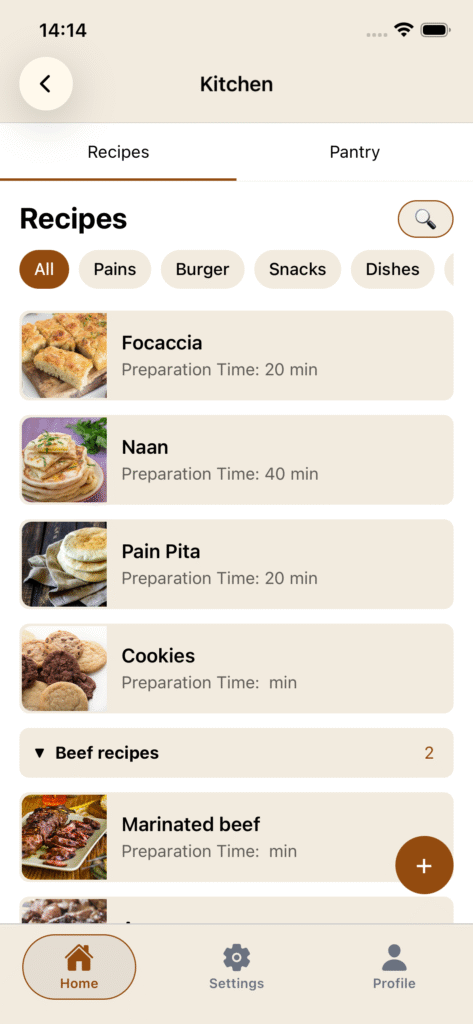
Create and manage your favorite recipes with detailed ingredients, step-by-step instructions, cooking time, photos, and personal notes. Group recipes by category for easy navigation and inspiration.
Stay on top of your pantry
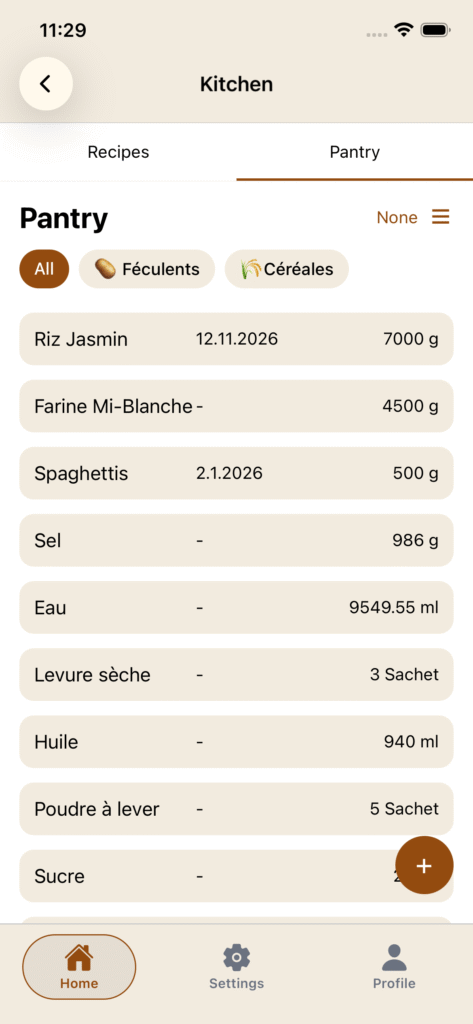
Keep a clear overview of your pantry inventory — track stock levels, expiration dates, and ingredient categories. When you cook a recipe, HouseDesk automatically deducts the used items from your pantry, keeping everything accurate without effort.
🔍
Cook with confidence
Key highlights
- Manage recipes with rich details and photos
- Track stock and expiration dates
- Auto-sync between recipes and pantry
- See which meals you can make with current ingredients
- Categorize ingredients and recipes for easy organization
How to ?
You can directly add categories and groups from the floatting button on the bottom right of the page.
You can add a recipe or a group to a category. As group are directly put into categories (if you choose to), you can add a recipe to a group but no more to a category if a group is choosed.
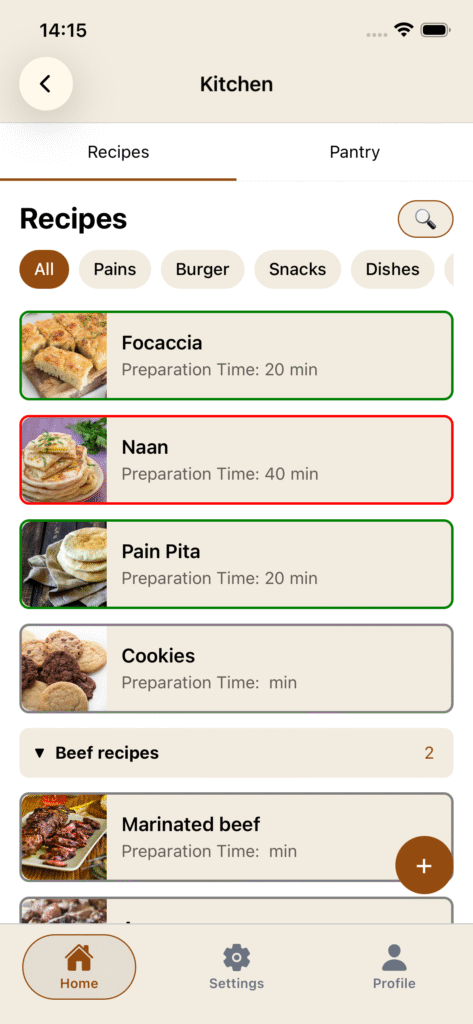
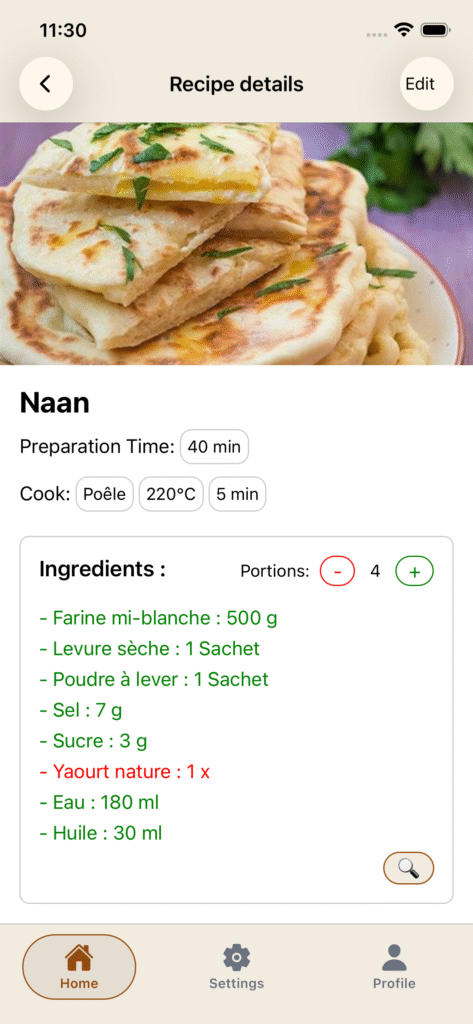
The 🔍 tool let you see if you can do a recipe with what you currently have in your pantry. On the details page it will show you for each ingredient if they are available or not.
🟢 = available
🔴 = unavailable
⚪ = ???
TRICKS : Ensure to name exactly the same your ingredient in pantry and recipe to get everything aligned.
The “Done” button at bottom of the details page will deduct all ingredient you used in your recipe from the pantry and also save the last date you made this recipe. Very usefull to keep your pantry stock updated automatically.
The “Purchase” section from your ingredient is used to save your basic data about the purchase of this ingredient. You can add default price and quantity aswell as the shop you usually buy it. You can then directly import all data needed into the lists module for a shopping list.